

One well-planned shoot day can fill your social feed and ad campaigns for months. Plan your topics in advance, schedule around the light, capture video and photo at the same time, and walk away with a bank of content you can keep using long after the shoot.
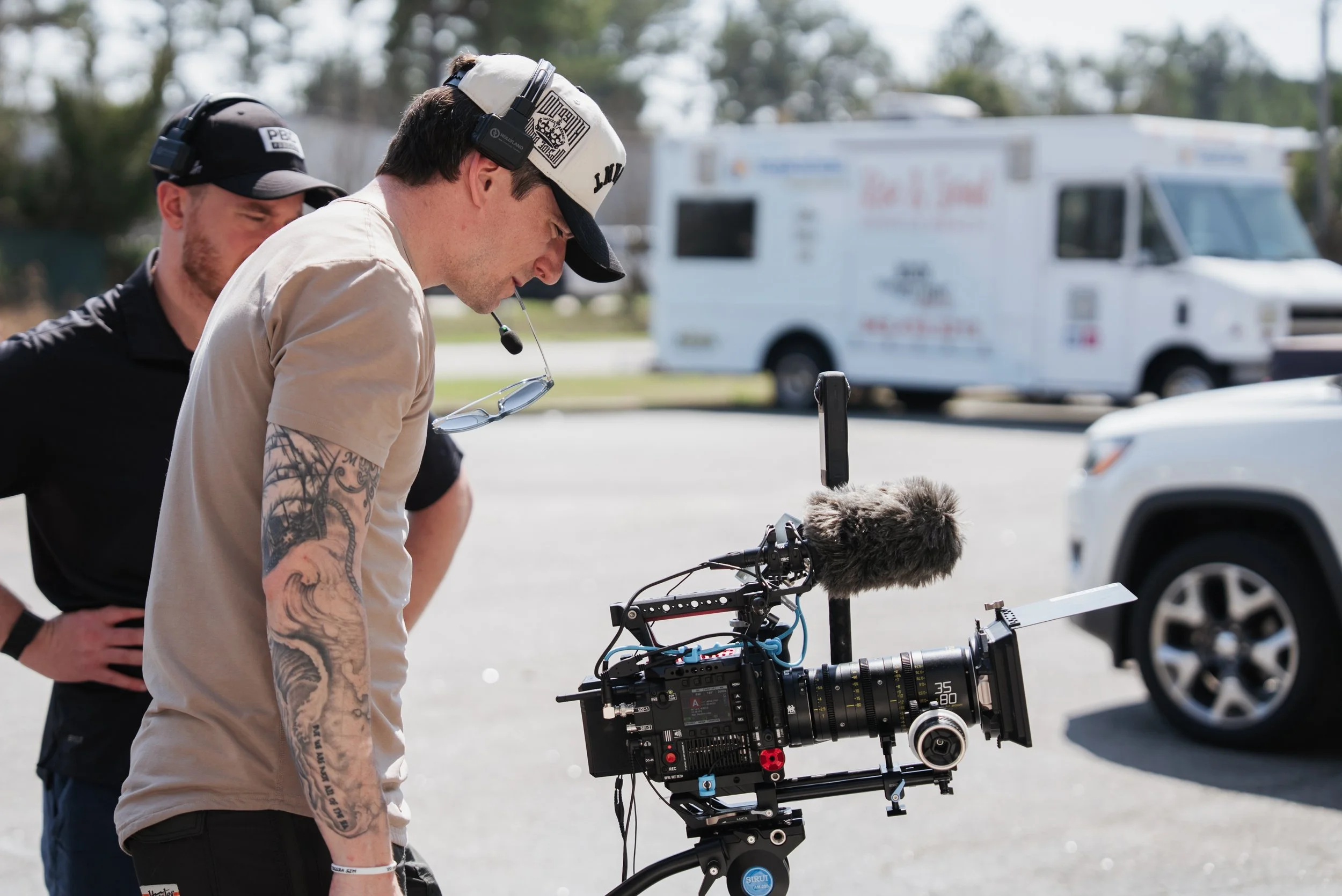
Most businesses don’t need one perfect video. They need a steady stream of good content they can use everywhere.
That’s a different problem, and it needs a different approach to shoot day.
Instead of planning a shoot around one final edit, plan it around building a content bank. Every hour on location should produce footage and photos that can be used across social posts, ads, emails, and future campaigns.
Here’s how we do that, using a recent shoot for a local running store as an example.
Start with topics, not shots
Before we pick up a camera, we sit down with the client and map out the topics they’ll need content for over the next few months.
For the running store, we landed on six topics. That covered things like upcoming holidays, special events, store projects, and educational content about running and gear.
Topics turn a single shoot day into months of planned content. Instead of “let’s get some nice shots of the store,” every setup has a purpose tied to something the business is actually going to post.
If you’re planning a shoot, start here. What are you going to talk about over the next three months? What holidays, launches, promotions, or questions will come up? Build your shot list from those answers.
Get your side ready before shoot day
A content day moves fast. The more the business has ready ahead of time, the more we can capture. Before the shoot, it helps to have:
Your topic list and calendar. Holidays, launches, promotions, and events coming up in the next few months.
Your people lined up. Staff, customers, or testimonial subjects, with times they can be on camera.
Products on hand. Anything new, seasonal, or worth featuring, ready to shoot.
The space prepped. Clean, stocked, and set up the way you want it seen.
A few must-haves. The three or four shots you’d be upset to leave without.
Every minute spent hunting for a product or waiting on a person is a minute not filming. A little prep on the client side can add hours of usable content.
Schedule the day around the light
Good light makes everything look better, and it’s free. So we build the whole day around it.
For that shoot, the day looked like this:
7:30 a.m. call time. Start outside for sunrise lifestyle footage while the light is soft.
Mid-morning inside. Once the sun got high and harsh, we moved into the store. That also gave staff time to arrive without rushing.
Testimonials and product. We filmed customer testimonials and focused on the store’s custom insole while our photographer shot product photos for upcoming shoe drops.
Break around 11:30. Midday sun isn’t flattering, so we stepped away.
Back from about 3 or 4 until 7 or 8. We picked up again into golden hour for the warmest, best-looking outdoor footage of the day.
The order of the day matters as much as the shot list. Bouncing back and forth across a location wastes time. Planning the sequence around light and logistics is how you get so much done in one day.
Shoot video and photo together
Having a photographer on set alongside video changes the math of a shoot day completely.
While the video team captured lifestyle footage and testimonials, our photographer was getting product shots, store photos, and candid moments. Same day, same location, twice the usable content.
For this client, that meant 50 fully edited photos ready for social. On top of that, we went through every photo, pulled out the obvious misses, and applied a simple correction to the rest. That gave the team a big library of good-looking images to use on social without waiting on another round of edits.
Deliver the whole bank, not just the highlights
Here’s where we do things a little differently than a lot of production companies.
From that one shoot day, we exported roughly 678 color-graded video clips for the store. All of it is theirs to use.
Some creatives prefer to hold onto raw footage and deliver only finished edits. We get why. But if you want to help a business post consistently, they need content they can actually use.
A lot of businesses can cut their own simple posts now. Tools like CapCut make it easy, and Final Cut comes on plenty of Macs. Give a team a library of good clips, and they can create posts whenever they need them.
For clients who’d rather not do it themselves, we use that same bank to run their ads.
Make it last more than one season
A content bank like this doesn’t expire after the first campaign.
The store now has plenty to work with for the next three months of campaigns. When next year rolls around, a lot of that footage can be reused for the same holidays and events. And any future shoots just add to the library.
You’re not buying a single video. You’re building an asset you can keep pulling from.
Their team has already gotten creative with it. They’ve even started an internal competition to see who can take the best photo for Halloween. That’s exactly the kind of spark good content can create inside a business.
Key takeaways
Plan a shoot around building a content bank, not one final video.
Map out the topics you’ll need for the next few months before shoot day.
Schedule the day around light, starting early and ending in golden hour.
Shoot video and photo at the same time to double your usable content.
Deliver a full library so the business can keep posting long after the shoot.
FAQ
What is a content day shoot? It’s a single shoot day planned to capture a large amount of video and photo content around several topics, so a business has material for social media and ads over the following months.
How much content can you get from one shoot day? It depends on planning and scope. On a recent one-day shoot, we delivered roughly 678 color-graded video clips plus 50 edited photos and a full set of corrected selects.
What’s the best time of day for an outdoor video shoot? Early morning and golden hour, the last hour or so before sunset, usually give the most flattering light. Midday sun is often too harsh.
Can my team edit our own social media videos from raw footage? Yes. With color-graded clips and simple tools like CapCut or Final Cut, many teams can create their own posts quickly.
Ready to build your content bank?
If you’re tired of scrambling for something to post, let’s fix that. Grab a coffee with us and we’ll map out a shoot day that keeps your feed and your ads full for months.